It just doesn’t have to be like this. It just doesn’t.
I care about the experience of the people using a product more than anything else – yes, even more than security. As I wrote elsewhere, if you have the best system in the world but it makes customers want to kill themselves while using it, then you don’t have the best system in the world. Security that makes people miserable, while doing nothing to attackers, is the antithesis of everything I care about.
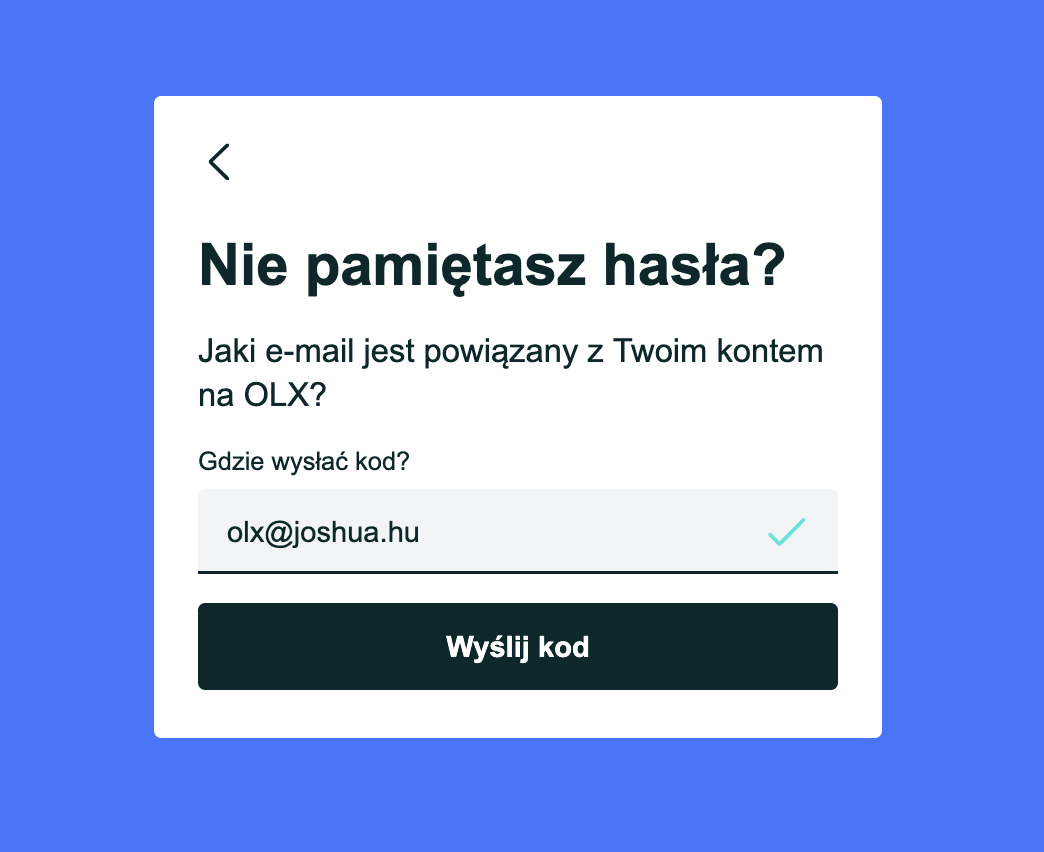
I forgot my OLX password, used the reset form, and it said it’d send me a code. I filled it in:
 |
|---|
| “Forgot your password? Which e-mail is associated with your OLX account? Where should we send the code?” (translated from Polish) |
and got this:
 |
|---|
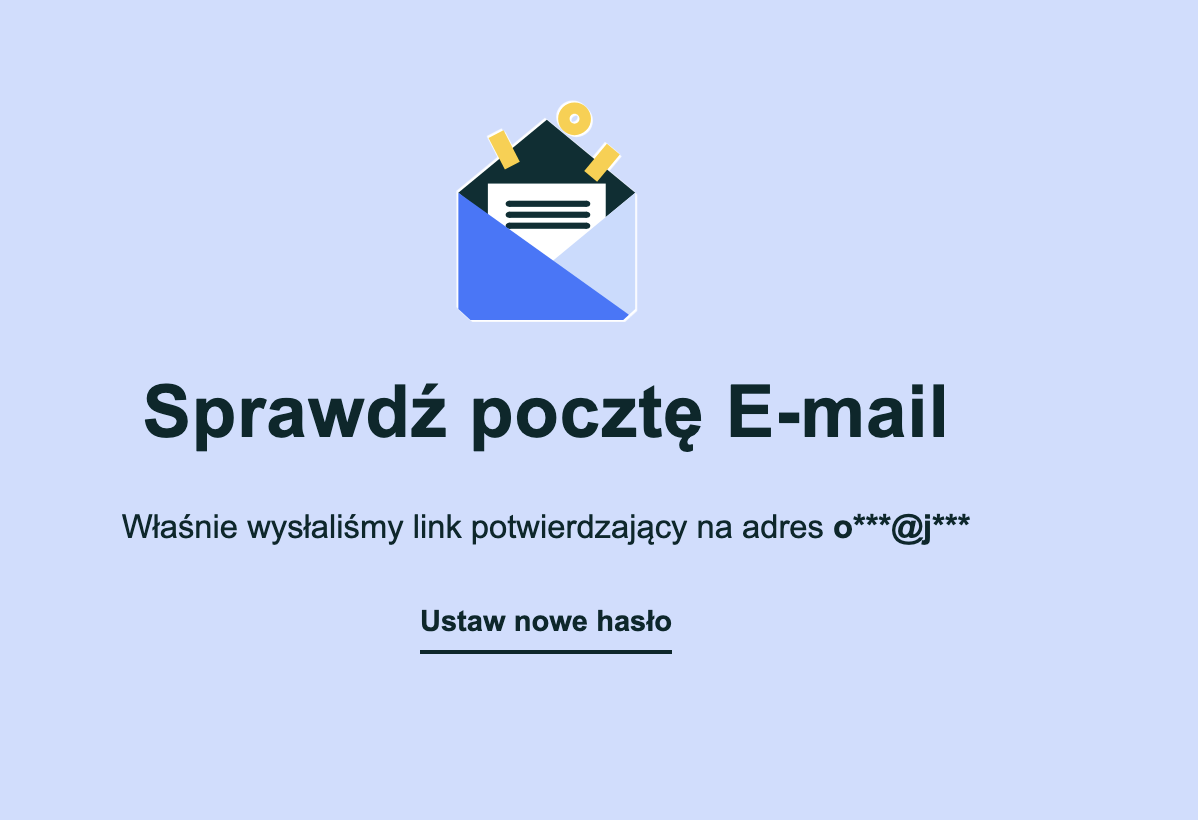
“Check your e-mail. We’ve just sent a confirmation link to o***@j***” |
o***@j***. Nice! My email address is safe from … me?
How does this type of “security” get implemented?
The masked version is literally generated from what I just typed, so it can’t reveal anything that I didn’t already know (and if somebody is looking over my shoulder, well, they just watched me type it – with a nice green checkmark next to it, confirming it’s a valid email address, even! Thank you!)
It makes me miserable thinking about the developers, or god forbid the security team, seeing this flow, and thinking, “oh yeah, we’ve really secured the machine! checkboxes ticked, let’s celebrate.”
What it does do, however, is make it impossible to know whether I made a typo. Did I type joshua.hu or jsohua.hu? olx@ or olz@? Who knows; OLX doesn’t even show the TLD. So when the email doesn’t arrive, I get to play a really fun guessing game: did I mistype my email address? Is it in spam? Is OLX’s email just slow? Did OLX not send anything at all, because there’s no account with that email address? Who knows!
Also, the form asked me where to send the code, and then this page says it sent a link. Yes, this is me being overly pedantic, but consistency in UX matters.
Of course, perhaps we can’t blame OLX’s security team. Maybe we can blame developers AI engineers who, under the strong force of psychosis coupled with an extreme case of the Dunning-Kruger effect, thought they were doing something useful.
I’ve talked about this type of thing before. Let me quote:
Non-coders using AI to program are effectively non-technical people, equipped with the over-confidence of technical people. Proper training would turn those people into coders that are technical people. Traditional training techniques and material cannot work, as they are targeted and created with technical people in mind.
This got me thinking about all of the other “security” features on websites which make me stop and think, “who is this actually supposed to stop?” It’s never the attacker – the attacker doesn’t care – it’s always just … me. So, here are some of my favorites.
Websites that block pasting into the password field. Sometimes, it’s only the “confirm password” field, which is somehow even worse. The reason is always “security”, but against what, exactly? Yeah, everybody knows this one.
The same thing, but for verification codes. A six-digit code is emailed to me, I copy it, and the website’s input is six separate boxes which each accept a single character. Pasting either does nothing at all, or puts the first digit in the first box and throws the rest away. Great! The code is on my screen; anybody who has it can type six digits.
“Your password must be between 8 and 16 characters, and contain an uppercase letter, a lowercase letter, a number, and a special character. Special characters may not include <, >, &, ', ", or spaces.”
The 40-character random password that my password manager generated? Rejected.
Forcing a password change every 90 days.
Bank (and really, seemingly only banks?) logins with “enter the 2nd, 5th, and 9th character of your password”. Lol what? Does this imply they aren’t just storing a hash of the whole password? Doesn’t it also reduce the search-space for a (real) brute-force attack (not that it’s really relevant in the real world, but whatever)? Meanwhile, the thing that stole your whole password … has access to those specific characters too.
Banking apps that refuse to start because I have Developer Options enabled on my phone. And once I’ve turned that off, banking apps that block screenshots. I’ve just paid somebody, they want proof, and the app won’t let me screenshot the confirmation. Instead, I get to press “download confirmation”, wait for a PDF to generate, and send them that – which contains the exact same information the screenshot would have. Same with my balance: no screenshot, but here’s a PDF.
Speaking of PDFs: bank statements emailed as password-protected PDFs, where the password is my date of birth. Or even better, the password is sent in a second email thirty seconds later, to the same inbox. Whoever can read the first email can read the second one.
Disabling right-click and text selection, “to protect our content”. The content is in the HTML that my browser already downloaded. View-source, reader mode, screenshots, curl, or just browsing with JavaScript disabled. The only thing that actually gets disabled is my ability to copy a tracking number.
This one isn’t a real security boundary (and GitHub doesn’t pretend it is), but it’s too good to leave out: GitHub Actions masks secrets in logs by replacing their value anywhere it appears. If a secret’s value happens to be production, every “production” in every log line becomes ***. Meanwhile, echo "$SECRET" | base64 prints the secret just fine: GitHub masks the base64 too, but echo adds a newline, which changes the encoding of any secret whose length isn’t a multiple of three (production included).
Idle timeouts that don’t count typing as activity, and only tell you that you’ve been logged out after you press “submit” on the form you’ve spent twenty minutes filling in. Idle timeouts make sense on shared computers and high-risk systems; silently throwing my work in the bin doesn’t make sense anywhere. Warn me before it expires, or save a draft, or something.
Password reset pages that say “if an account exists with this email address, we’ve sent you an email” when the registration page leaks the existence of an account based on an email address. “Check your inbox to proceed” for both is certainly reasonable. See credential stuffing.
Locking an account after three failed login attempts. Now anybody who knows my email address can lock me out of my account, whenever they like, as often as they like. The credential stuffer, meanwhile, tries one password per account across a million accounts, and never trips it.
Blocking logins from “unusual locations”. I’m in a hotel abroad, trying to log in, and I’m blocked because I’m not in my usual country. The attacker, meanwhile, is using a residential proxy in my home city, and walks straight in. I’ve written a whole series about users getting locked out, by location and otherwise: a travel insurer that blocked all of Asia while its customer sat in a hospital in Asia trying to make a claim, an airline app that refused to work without a 200MB update over 15 minutes of airport WiFi, and Cloudflare’s bot protection blocking a paid website’s own API and support form, and even report-uri.com’s own report endpoint.
Web Application Firewalls in front of the “report a security vulnerability” form. I’ve found an XSS, I paste the proof-of-concept into the report, and the WAF blocks the submission because it contains <script>. Attack detected: the vulnerability report. Great! I guess I’ll base64 it.
Corporate TLS interception: a “next-generation” proxy that man-in-the-middles every HTTPS connection, so it can inspect the traffic for threats. Immediately, npm and git both break, because neither trusts the company’s root certificate. Within a week, every developer has NODE_TLS_REJECT_UNAUTHORIZED=0 in their shell profile, http.sslVerify=false in their .gitconfig, and -k on every curl. Congratulations: the security product has disabled certificate verification for the entire company – and those settings follow the laptops home, to the café WiFi.
And my final favorite: mandatory security awareness training, which teaches you not to click links in unexpected emails from domains you don’t recognize. The training is delivered via an unexpected email, from a domain you don’t recognize, with a link to click.
On a side note, it just isn’t obvious why the training is also seemingly so … bad.
The common theme with all of these is that the person being inconvenienced is never the attacker. Just the user. Seemingly, simply to make their life difficult, ruin their day, and make them hate using your application.
Things just don’t have to be this way. Be a user. See something, say something. Hate your app, change it.